
Download Synergy – iTunes Menu Bar Control, Free, Secure & Easy
Overview
Synergy is a lightweight Cocoa‑based utility that brings iTunes control straight to your Mac’s menu bar. Instead of juggling between the Dock icon, the iTunes window, or keyboard shortcuts, Synergy places three intuitive buttons—Previous, Play/Pause, and Next—right where you can see them at all times. While the concept may sound simple, the execution delivers a frictionless music‑listening experience for anyone who spends a lot of time in the menu bar or prefers a minimalist desktop.
In addition to the basic playback controls, Synergy can display the currently playing track’s title, artist, and even the album artwork in a floating window that updates in real time. For power users, the app also offers hot‑key configuration, quick access to recently played tracks, and a drop‑down list of playlists—all without ever leaving the menu bar. The software is fully compatible with iTunes 10.1/10.1.1 and macOS 10.6.6 or later, and it has been updated to meet Apple’s App Store requirements.
Whether you’re a casual listener who wants a quick way to skip a song, or a DJ managing playlists on the fly, Synergy provides a discreet, always‑available control surface that saves Dock space and reduces the number of clicks required to manage your music library.
Key Features
- Menu Bar Playback Controls – Instantly access Previous, Play/Pause, and Next buttons without opening iTunes.
- Live Track Information – See song title, artist, and album art displayed in a floating window.
- Hot‑Key Customization – Assign global keyboard shortcuts for all playback functions.
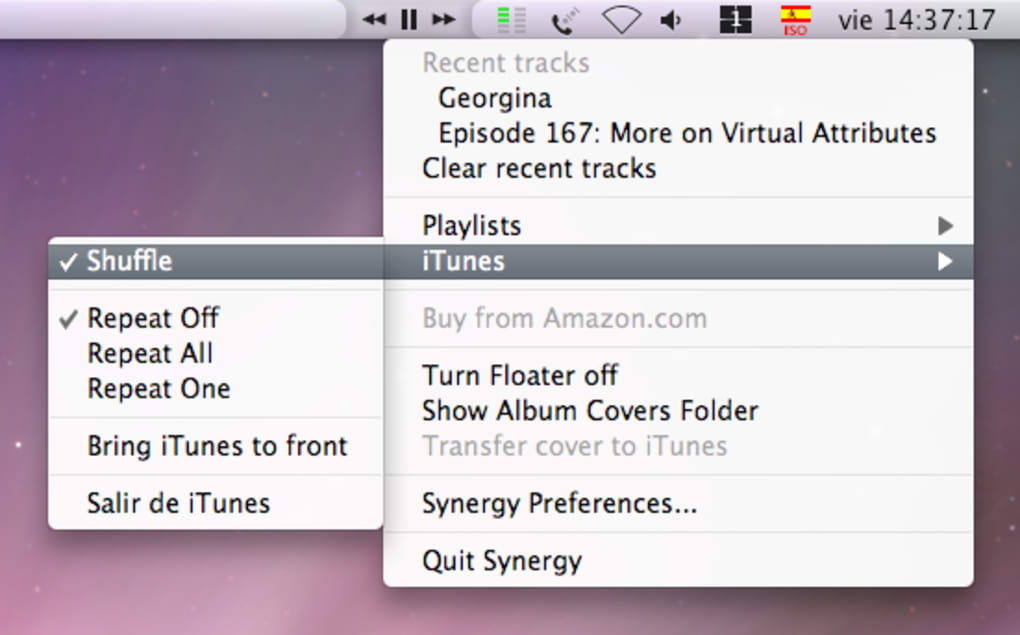
- Recent Tracks & Playlists – Drop‑down menus let you jump to recently played songs or any of your playlists with a single click.
- Minimal Resource Footprint – Built with Cocoa, Synergy runs quietly in the background and consumes negligible CPU or memory.
- App Store Ready – Updated to comply with Apple’s distribution guidelines, ensuring secure installation and automatic updates.
- Support for iTunes 10.1/10.1.1 – Fully functional with the latest iTunes releases at the time of writing.
- Mac OS X 10.6.6+ Compatibility – Works on Snow Leopard and newer macOS versions, offering broad coverage for legacy systems.
Installation, Usage & Compatibility
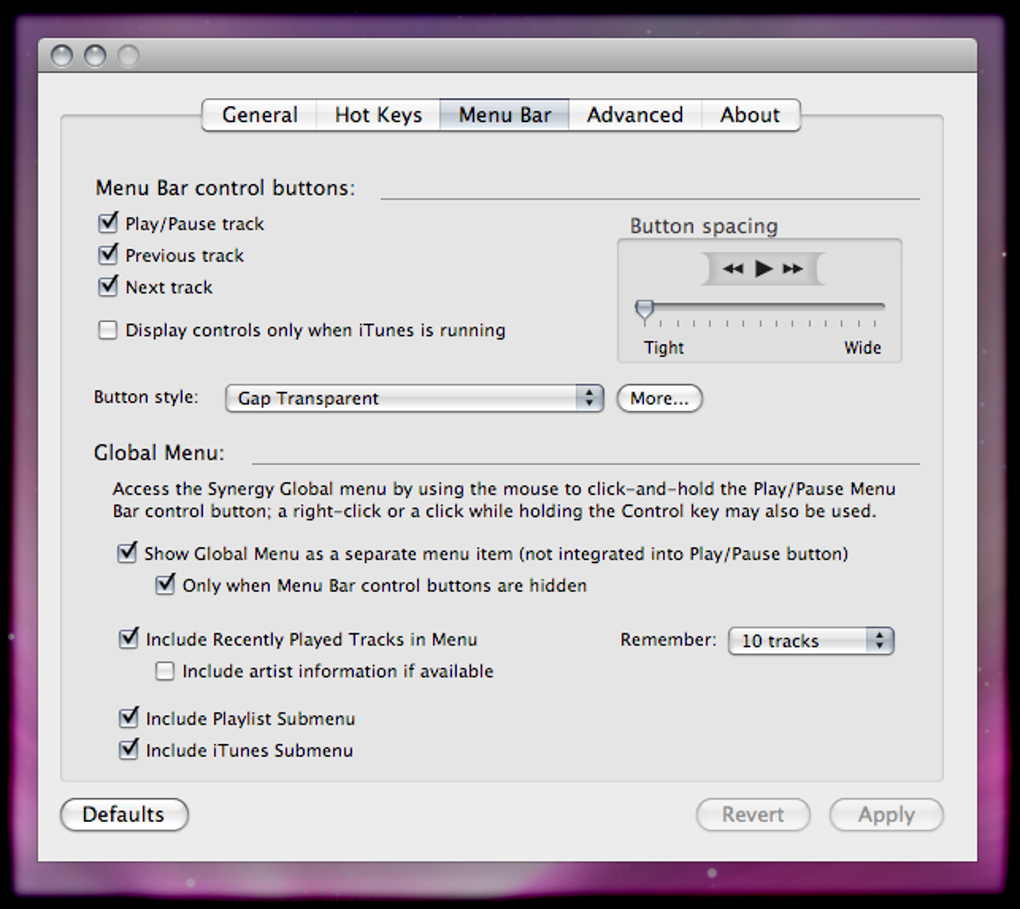
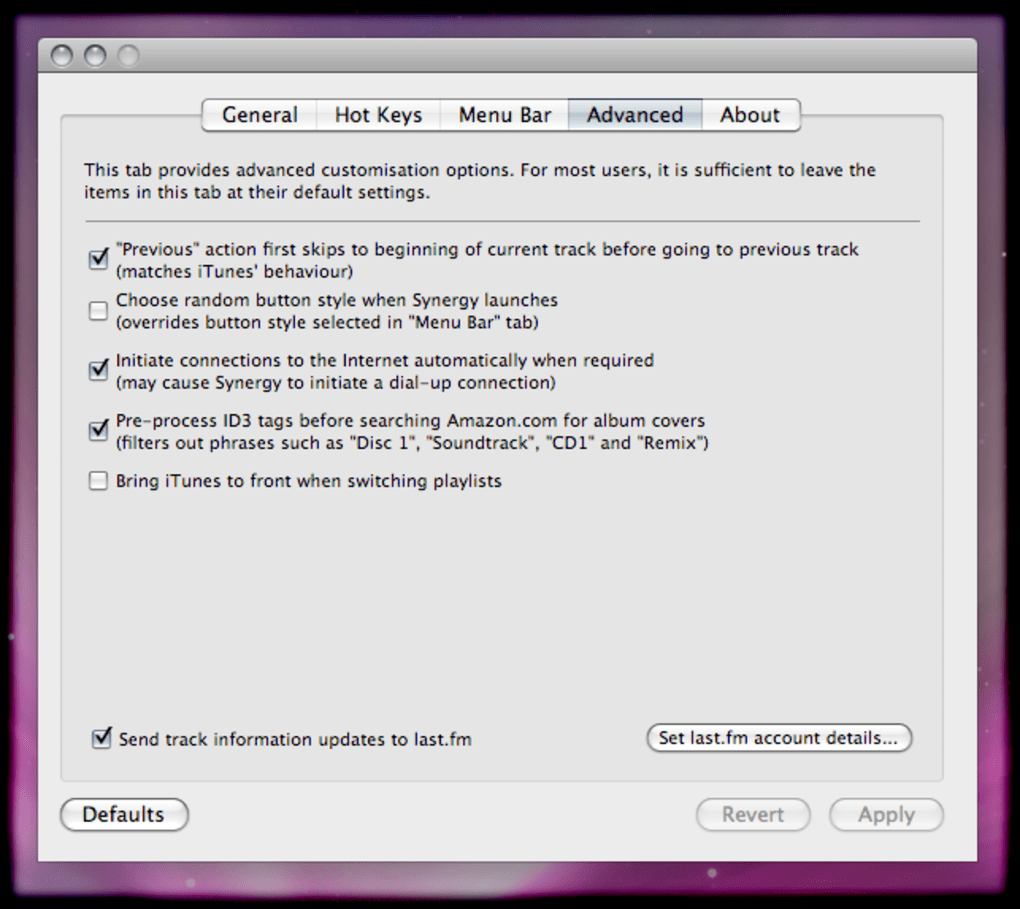
Getting Synergy up and running is straightforward. First, download the Synergy installer from the official website or the Mac App Store. The download is a signed, secure .dmg file that can be opened with a double‑click. Drag the Synergy icon into your Applications folder, then launch it. macOS will prompt you to confirm that you want to open an app from an identified developer—simply click “Open.” Once launched, Synergy automatically adds its three control buttons to the right side of the menu bar. You can customize the appearance and behavior by clicking the Synergy icon and selecting “Preferences.” Here you’ll find options to enable hot‑keys, choose whether to show album artwork, and set the floating window’s transparency.
Compatibility is a core strength of Synergy. The macOS 10.6.6 and later are fully supported, and the app works seamlessly with iTunes versions 10.1 and 10.1.1. Users on newer macOS releases (such as macOS 12 Monterey or macOS 13 Ventura) have reported no issues, thanks to the recent clean‑up of utility classes and the adaptation for the App Store environment. If you encounter any conflicts with other menu bar utilities, you can easily disable Synergy’s icon from the Preferences pane and re‑enable it later.
For those who prefer keyboard shortcuts, the “Hot‑Keys” tab lets you assign any combination of modifiers (⌘, ⌥, ⇧, ⌃) plus a character key to each playback function. These shortcuts work globally, meaning you can control iTunes even when another application has focus. After configuring your shortcuts, simply test them by pressing the keys—if the track changes, you’re all set. Should you need to troubleshoot, Synergy includes a “Debug Log” option that records interactions with iTunes, making it simple to identify and resolve any hiccups.
Pros & Cons
Pros
- Instant access to iTunes controls without opening the full application.
- Minimalist design keeps the menu bar uncluttered.
- Customizable hot‑keys for power users.
- Displays live track info and album art in a floating window.
- Low CPU and memory usage, ideal for older Macs.
- Secure, signed download with automatic updates via the App Store.
- Works with iTunes 10.1/10.1.1 and macOS 10.6.6+.
Cons
- Functionality is limited to playback control; no advanced iTunes management.
- Users must purchase upgrades for major new releases.
- Lacks integration with iTunes libraries beyond basic playback.
- Only available for macOS—no Windows or iOS counterpart.
- Some users may find the menu bar icon redundant if they already use Dock shortcuts.
Overall Rating: 4 out of 5 stars – Synergy shines as a niche utility for menu bar enthusiasts, offering quick iTunes control with a clean interface, though its feature set remains intentionally simple.
Conclusion & Frequently Asked Questions
In summary, Synergy delivers exactly what it promises: a fast, reliable way to manage iTunes playback from the comfort of your menu bar. While it won’t replace full‑featured iTunes managers, its tiny footprint, live track display, and hot‑key support make it a worthwhile addition for anyone who values speed and simplicity. If you’re looking to free up Dock space, keep your music controls always visible, or simply prefer keyboard shortcuts, give Synergy a try.
The modest price for major upgrades reflects ongoing development and support, ensuring the app stays compatible with future macOS and iTunes releases. Ready to streamline your listening experience? Download Synergy today and enjoy seamless iTunes control in just a few clicks.
Frequently Asked Questions
Is Synergy compatible with the latest version of iTunes?
Yes. Synergy has been tested with iTunes 10.1 and 10.1.1, and it continues to work on newer iTunes releases as long as the core playback APIs remain unchanged.
Can I use Synergy on macOS Ventura or later?
Absolutely. The app was updated to meet App Store standards and runs without issues on macOS 12 Monterey, macOS 13 Ventura, and newer versions.
Do I need to keep iTunes open to control it via Synergy?
No. Synergy sends commands directly to the iTunes process, so you can start playback, pause, or skip tracks even if the iTunes window is hidden.
Is there a free trial available?
The App Store version offers a 7‑day trial period, after which you’ll need to purchase a license to continue using all features.
Can I assign my own hot‑keys?
Yes. Within Synergy’s Preferences you can configure custom hot‑keys for Previous, Play/Pause, Next, and even for opening recent tracks or playlists.







